
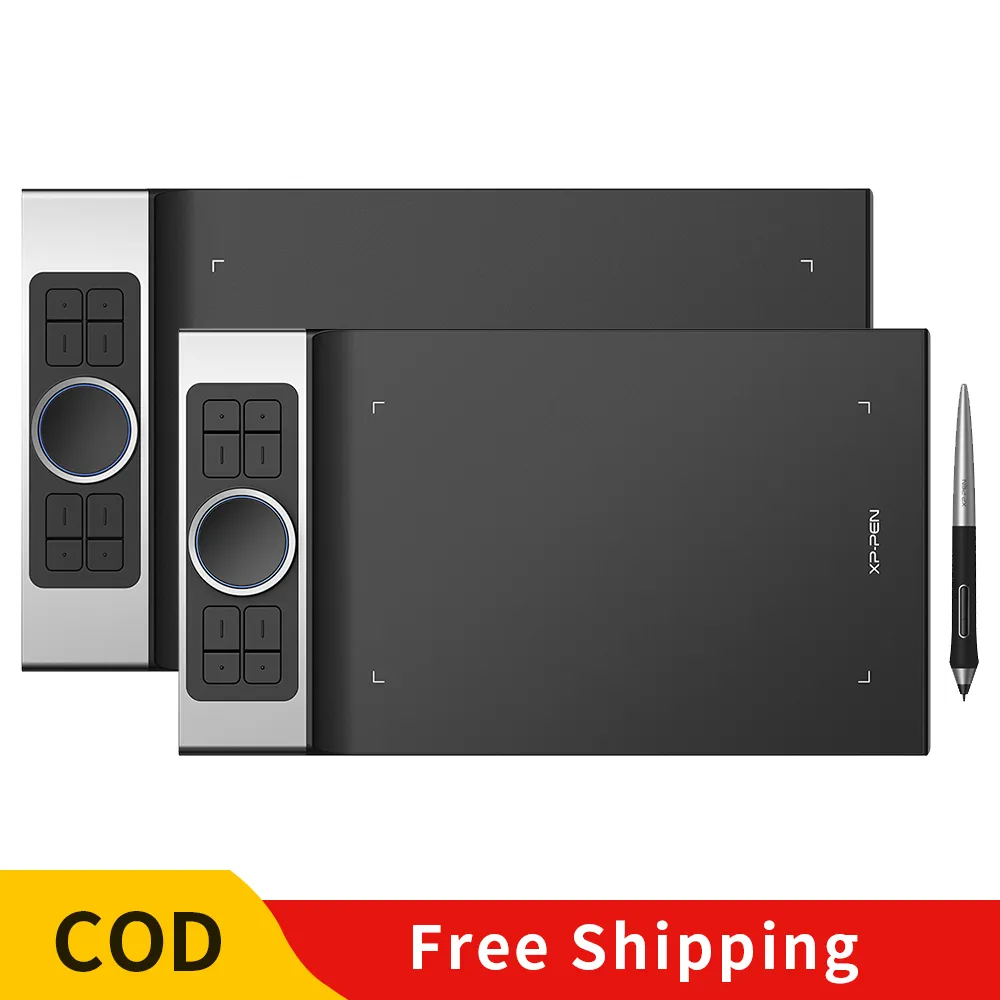
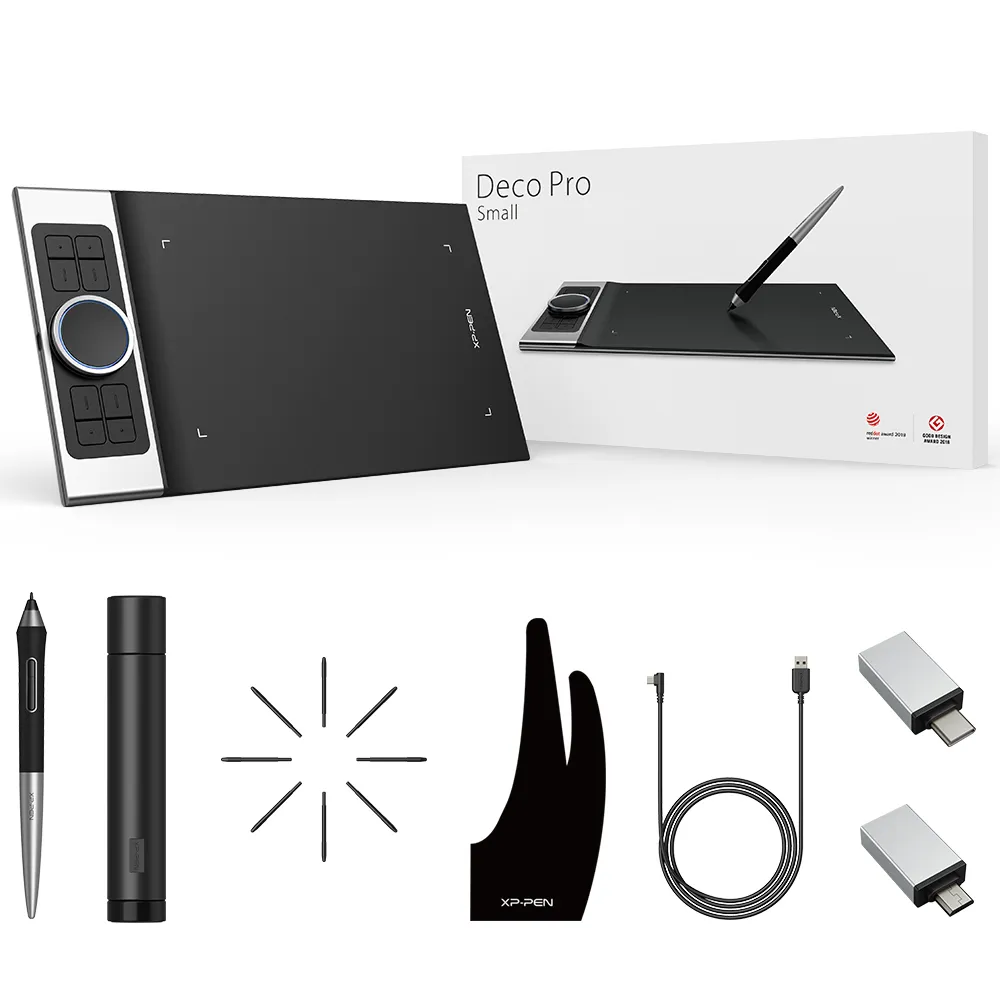
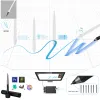

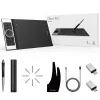
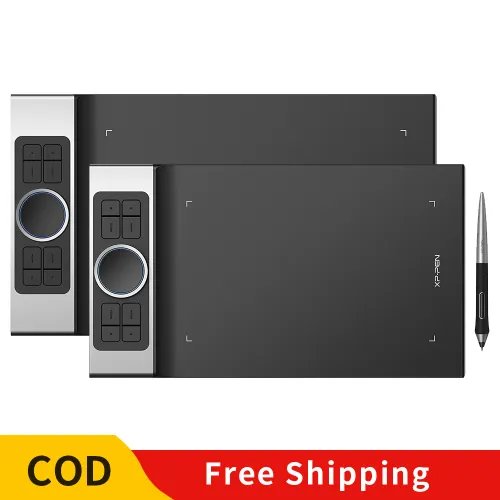
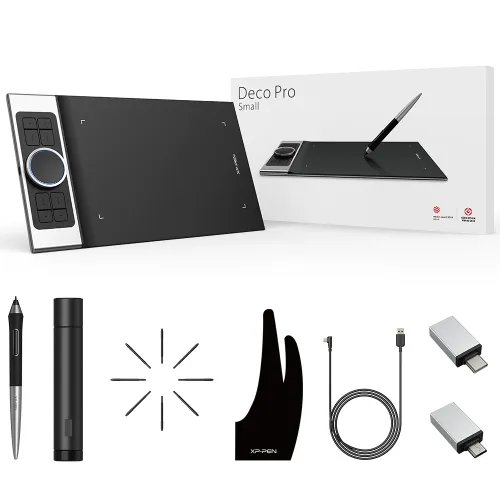
Deco Pro S/M Drawing Tablet

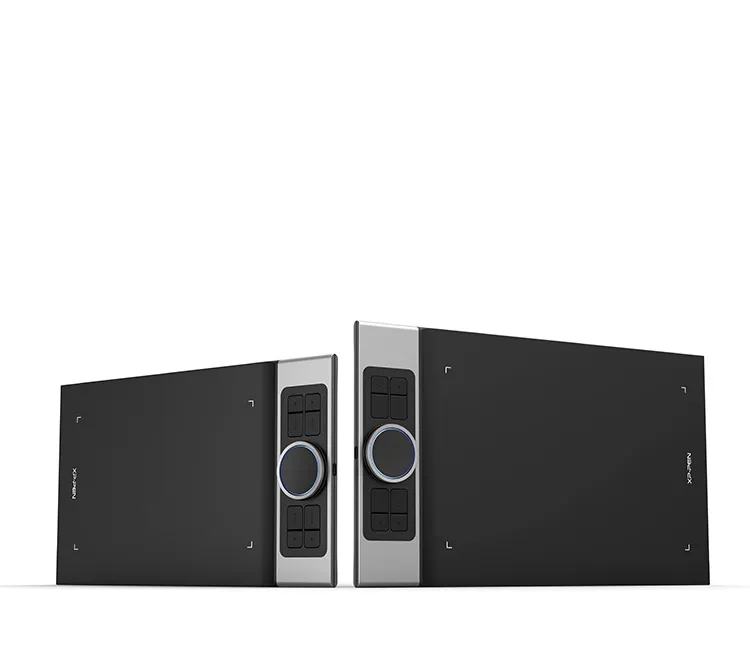
60 Degree Tilt function, 8 shortcut keys, Double Wheel. Deco Pro S suit for ACJ09 case, Deco pro M suit for ACJ02 case.

​₱5,499
Deco Pro :
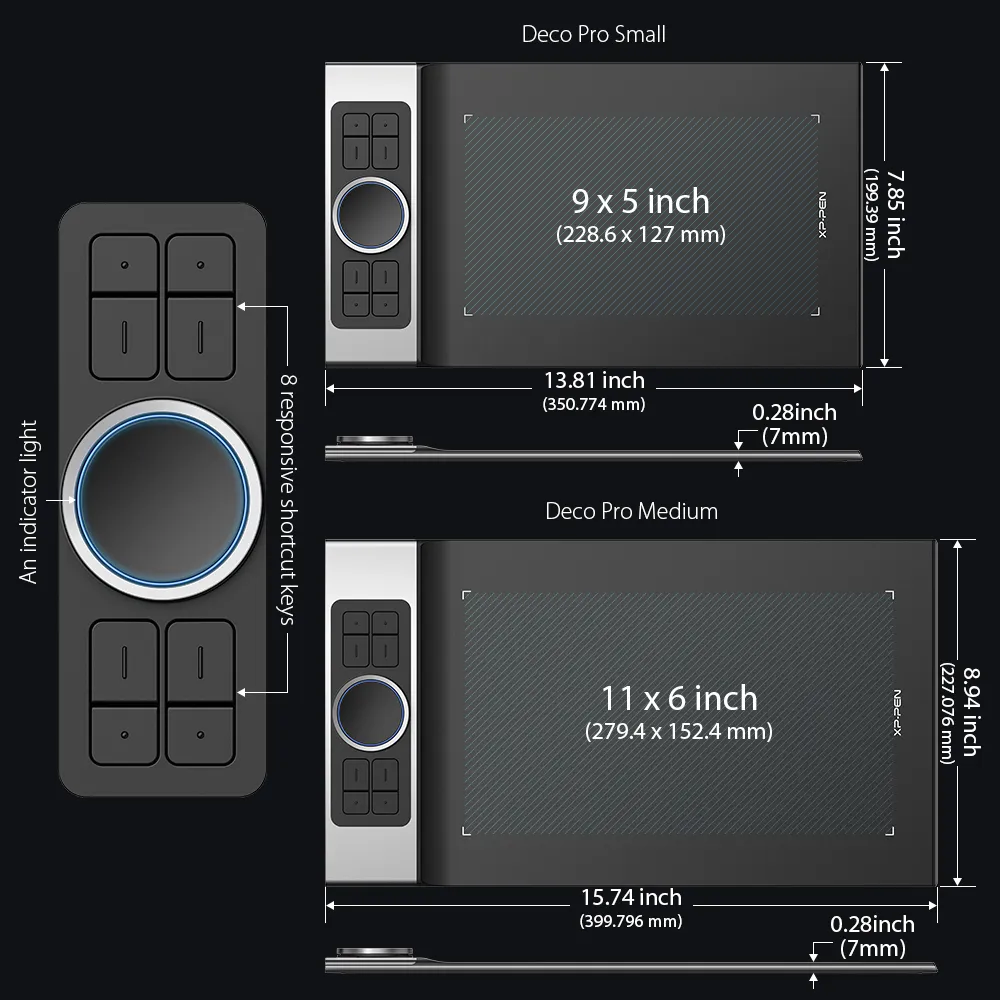
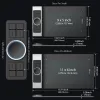
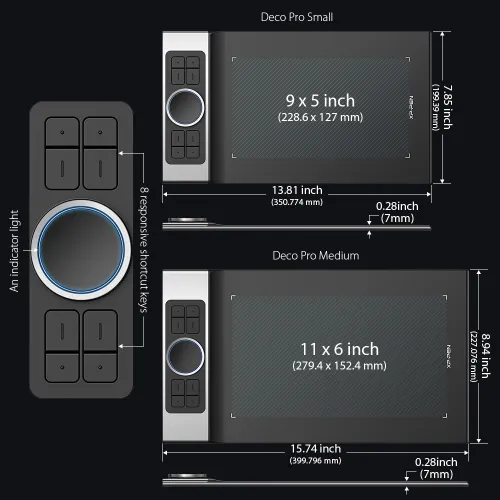
S: 9x5 Inch
M: 11x6 Inch

ESSENTIAL_ACCESSORIES

https://resource.xp-pen.com/Uploads/ph/goods/20210316/f4530e75a13a953b9bbae894a8993ed7_200_200.webp

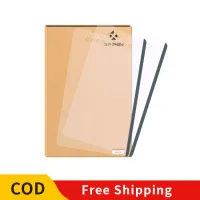
Protective Film for Deco series-2pcs

+​₱600​₱999

40% Off
https://resource.xp-pen.com/Uploads/ph/goods/20220221/77e1ae289c48cbdf95d5d725adc4155d_200_200.webp

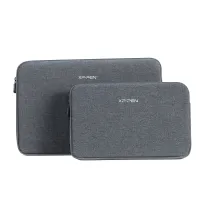
ACJ08/ACJ09 Sleeve Case

+​₱700​₱899

22% Off
https://resource.xp-pen.com/Uploads/ph/goods/20220221/d9a041d4d18f2f2ad95e622b0cbc26b0_200_200.webp

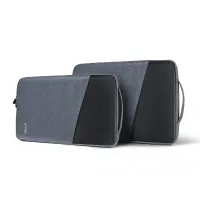
ACJ02/ACJ03 Sleeve Case

+​₱800​₱1,199

33% Off

QUANTITY:

Payment icon 0Payment icon 1Payment icon 2Payment icon 3Payment icon 4Payment icon 5Payment icon 6
ESTIMATED:
cod.jpg

Discover New Creative Worlds by use XP-Pen Deco Pro Android drawing tablet professional

Deco Pro Professional Series

Discover New Creative Worlds

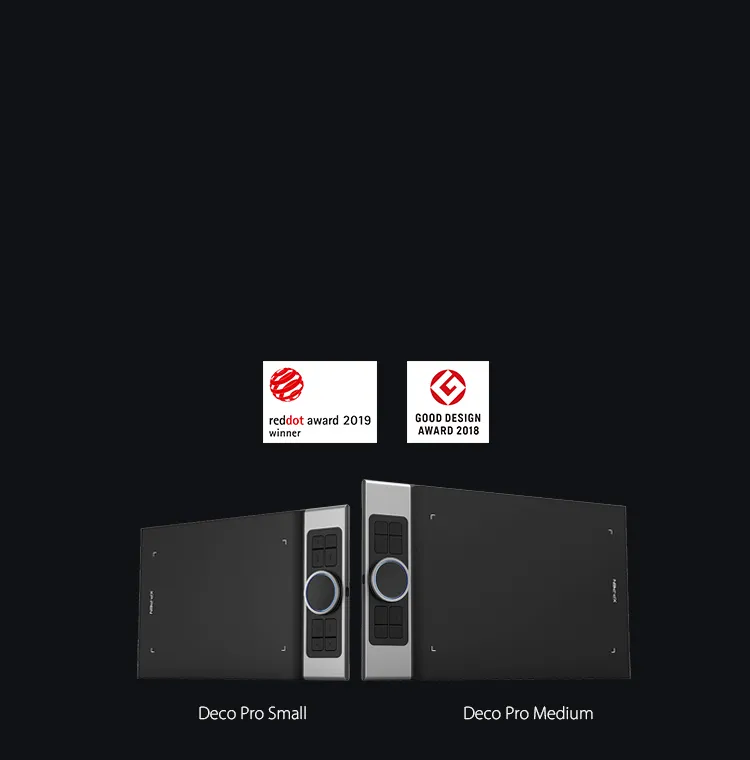
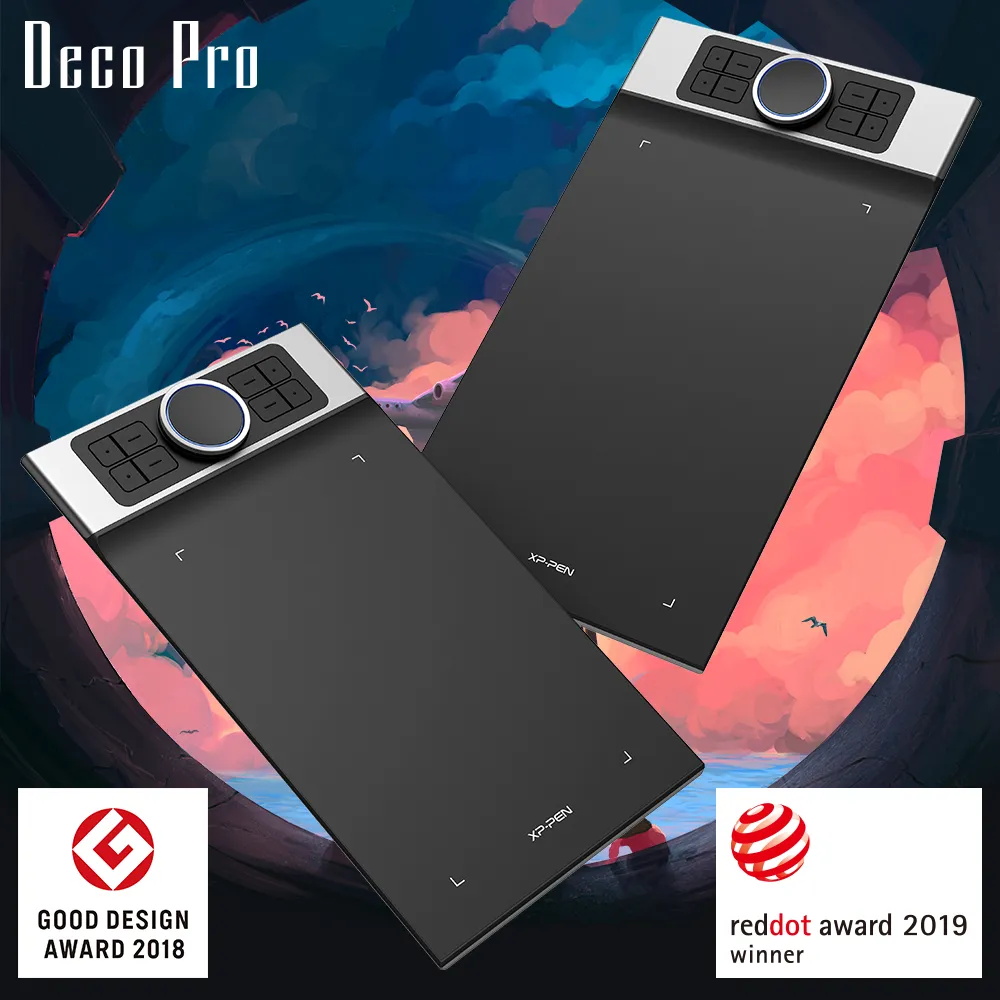
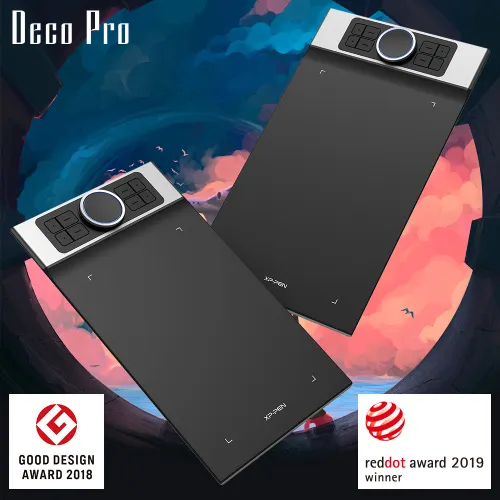
XP-Pen Deco Pro Android Drawing Tablet is the Winner of 2019 Red Dot Design Award and the 2018 Good Design Award

Professional Tablet, Professional Design Award Winner.

The XP-Pen Deco Pro Series is crafted with an aluminum casing and features a 7mm thin curved casing. The black and silver color scheme blends well into its streamlined design, making it both smooth to use and sleek in appearance. As such a professional designed tablet, Deco Pro has been awarded as the 2019 Red Dot Design Award Winner and the 2018 Good Design Award Winner!

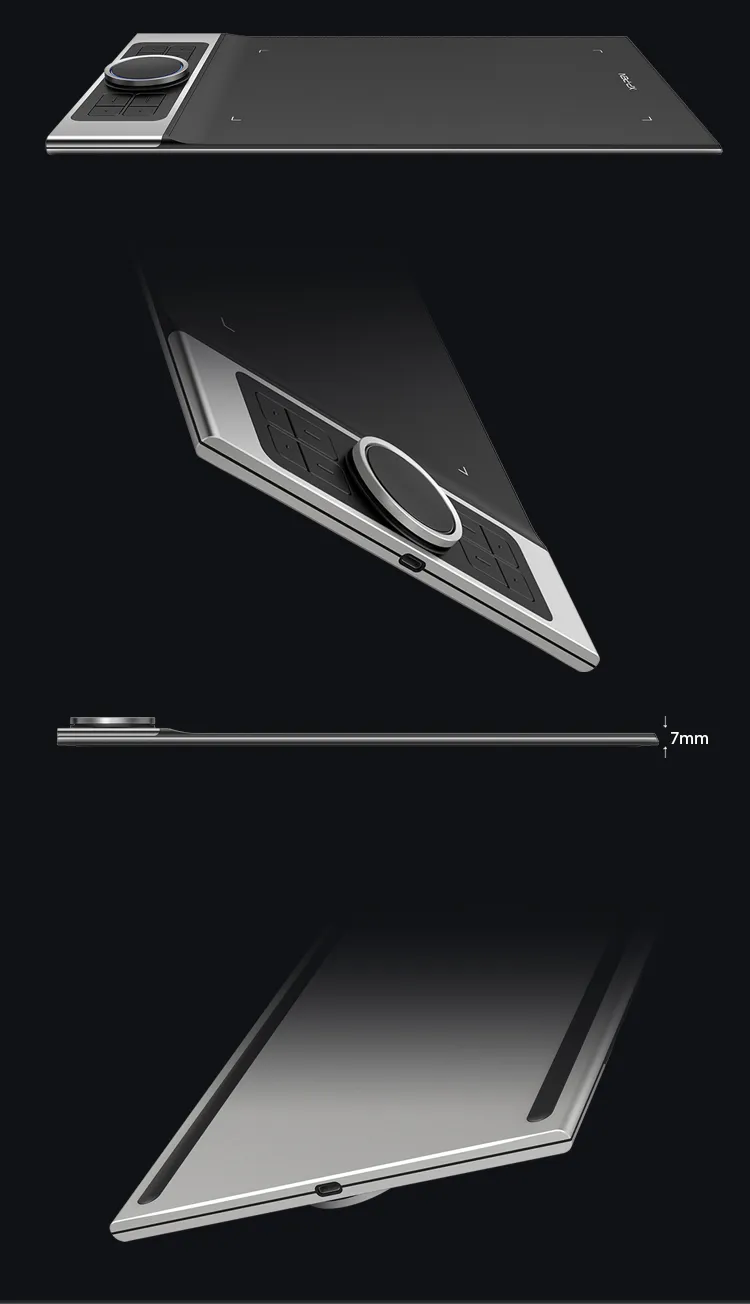
XP-Pen Deco Pro Series Android Drawing Tablet is crafted with an aluminum casing and features a 7mm thin curved casing
XP-Pen Deco Pro Android graphic tablet Meet the groundbreaking double wheel design paired with trackpad functionality

Improved for Unparalleled efficiency.

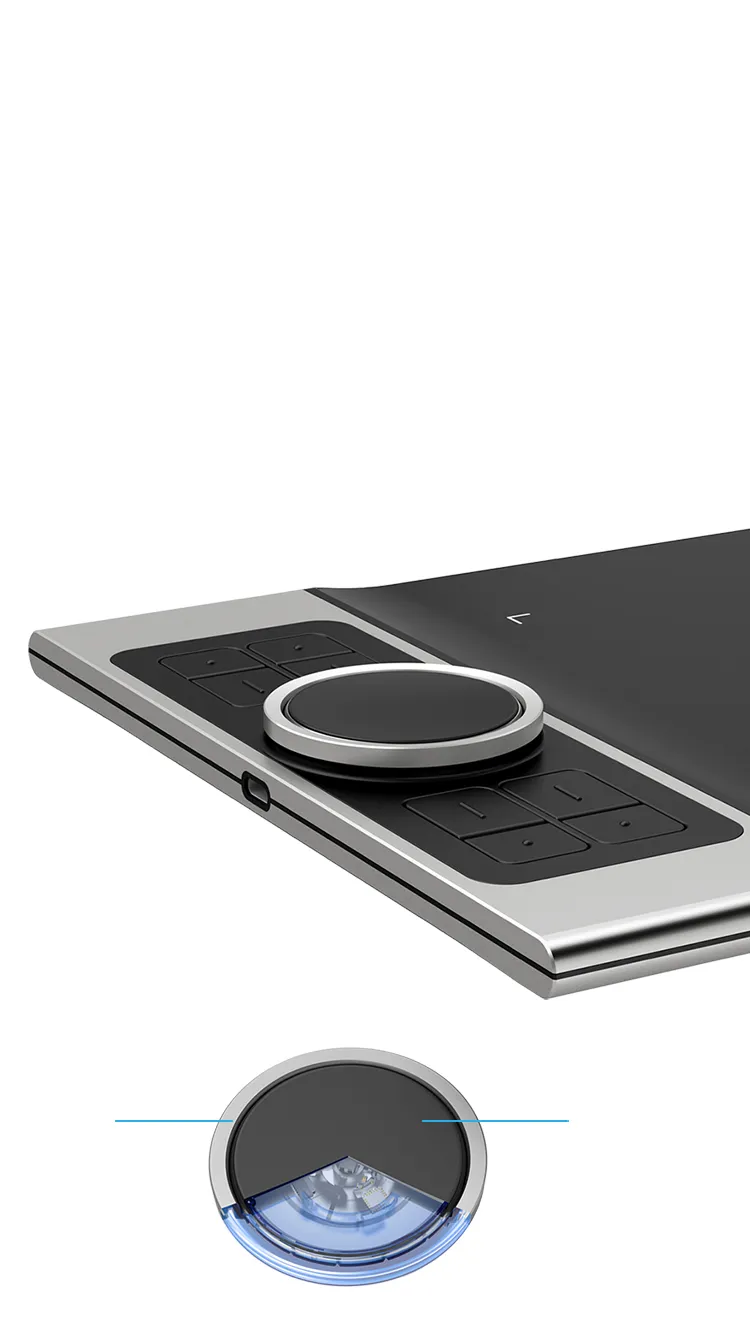
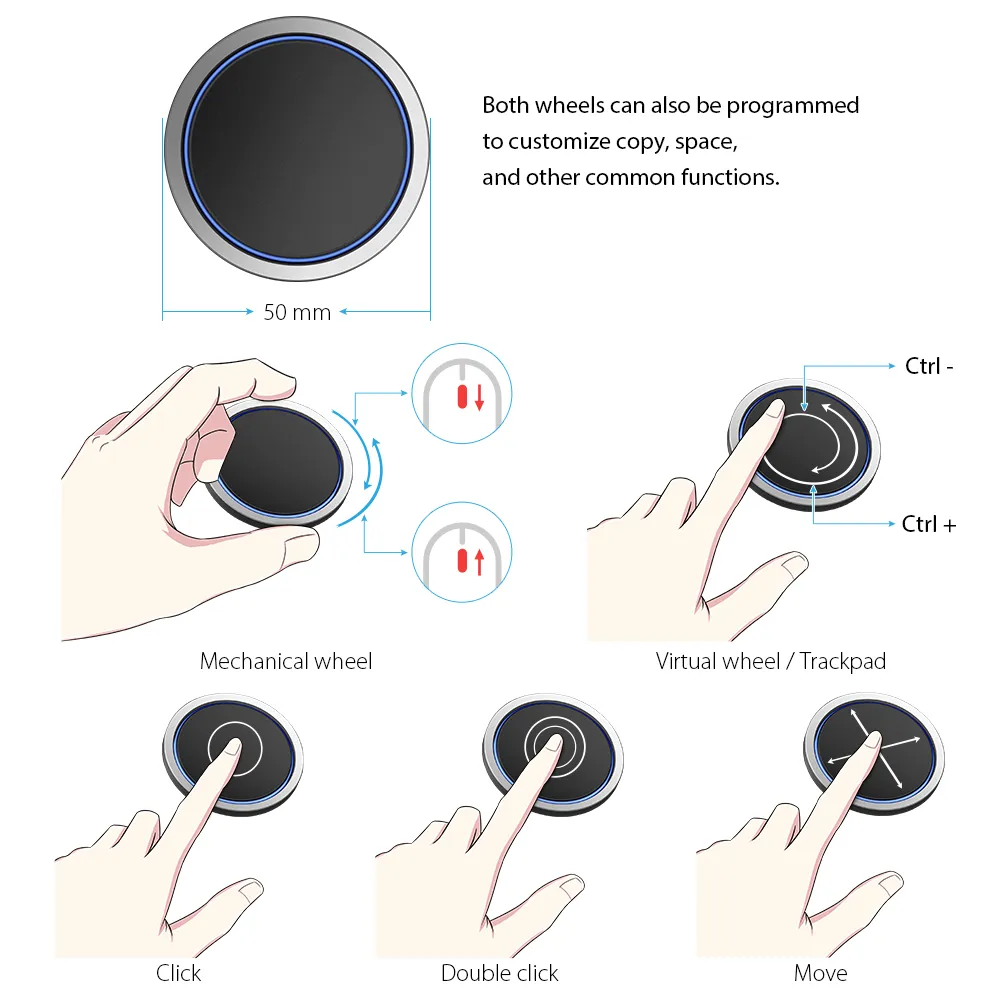
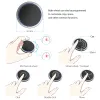
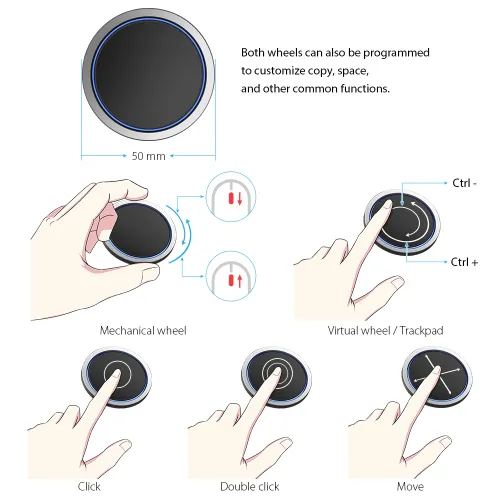
Meet the groundbreaking double wheel design paired with trackpad functionality! With a bigger wheel, it is easier to control and operate more accurately. Use the outer mechanic wheel to zoom in /out of your canvas, adjust brush size, etc, while the inner virtual wheel can be used as a trackpad/mouse mode, scroll up and down, and more. Both wheels can also be programmed to customize copy, space, and other common functions. Fully utilize the two wheel together and use 4 shortcuts at the same time without switching back and forth to guarantee a complete focus on your creation  and unparalleled efficiency.

Dual Control Dials

Physical Dial

Virtualized Dial/Trackpad

double wheel design deatils for XP-Pen Deco Pro Android digital art tablet

Physical Dial

Virtualized Dial/Trackpad

Move

Click

Double click

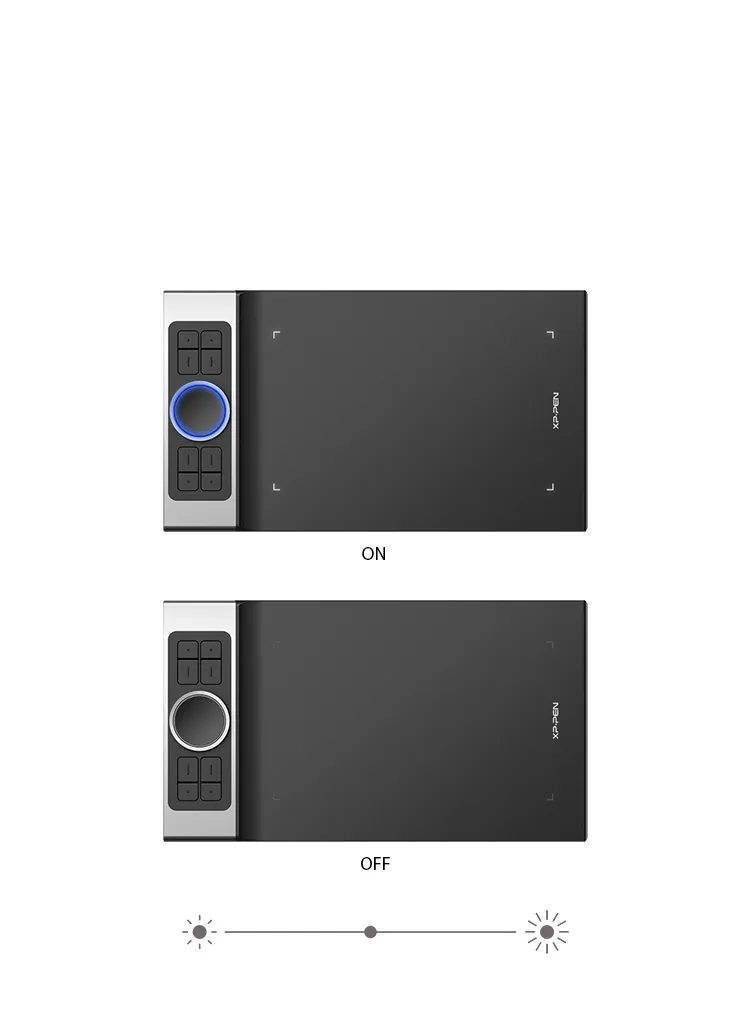
XP-Pen Deco Pro art tablet roller wheel comes equipped with an indicator light and adjustable brightness level

Illuminate your Workflow.

The roller wheel comes equipped with an indicator light and adjustable brightness level, letting you work and create in your preferred lighting environment, so you can stay immersed in your creation even in dim light.

XP-Pen Deco Pro large drawing tablet supports connection with Android tablets and mobile phones

An all new creative experience.

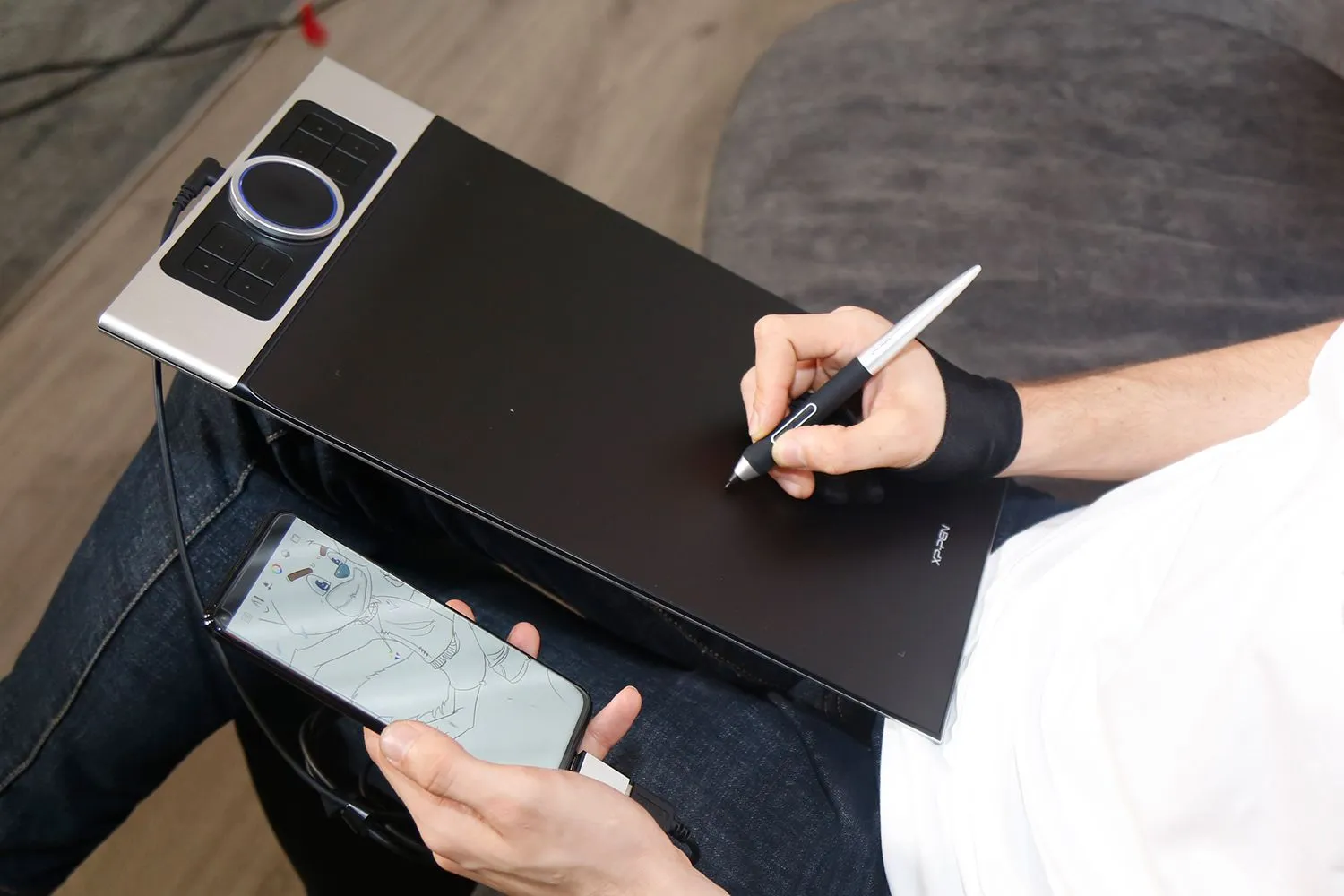
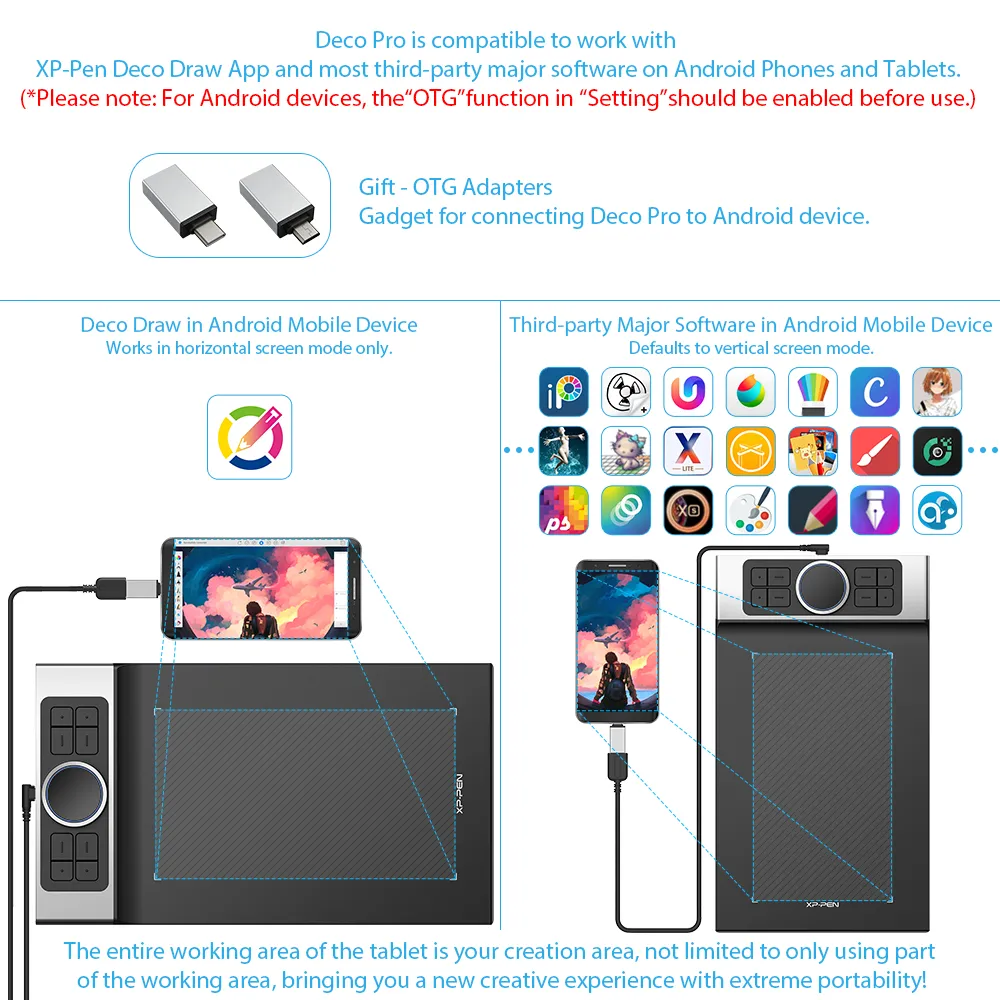
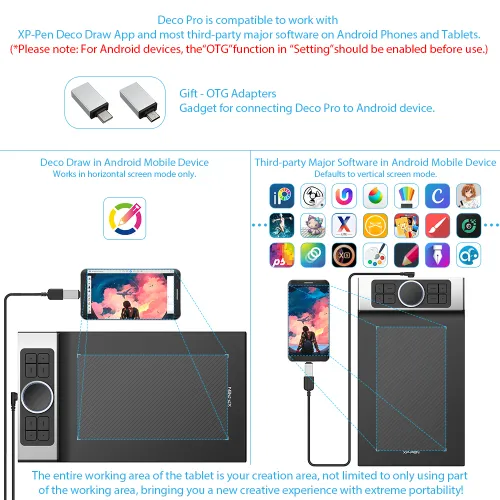
The XP-Pen Deco Pro series supports connection with Android tablets and mobile phones. It works with most software such as XP-Pen Deco Draw, ibis Paint X, FlipaClip, Medibang, Autodesk Sketchbook, Zenbrush, Artrage, and more. The entire working area of the tablet is your creation area, not limited to only using part of the working area, bringing you a new creative experience with extreme portability!

View more >>

Gift

OTG Adapters Gadget for connecting Deco Pro to Android device.


* Works in vertical screen mode only.
Not all Android devices can support the XP-Pen tablet.

XP-Pen Deco Pro portable drawing monitor supports up to 60 degrees of tilt function

Natural Tilt Support.

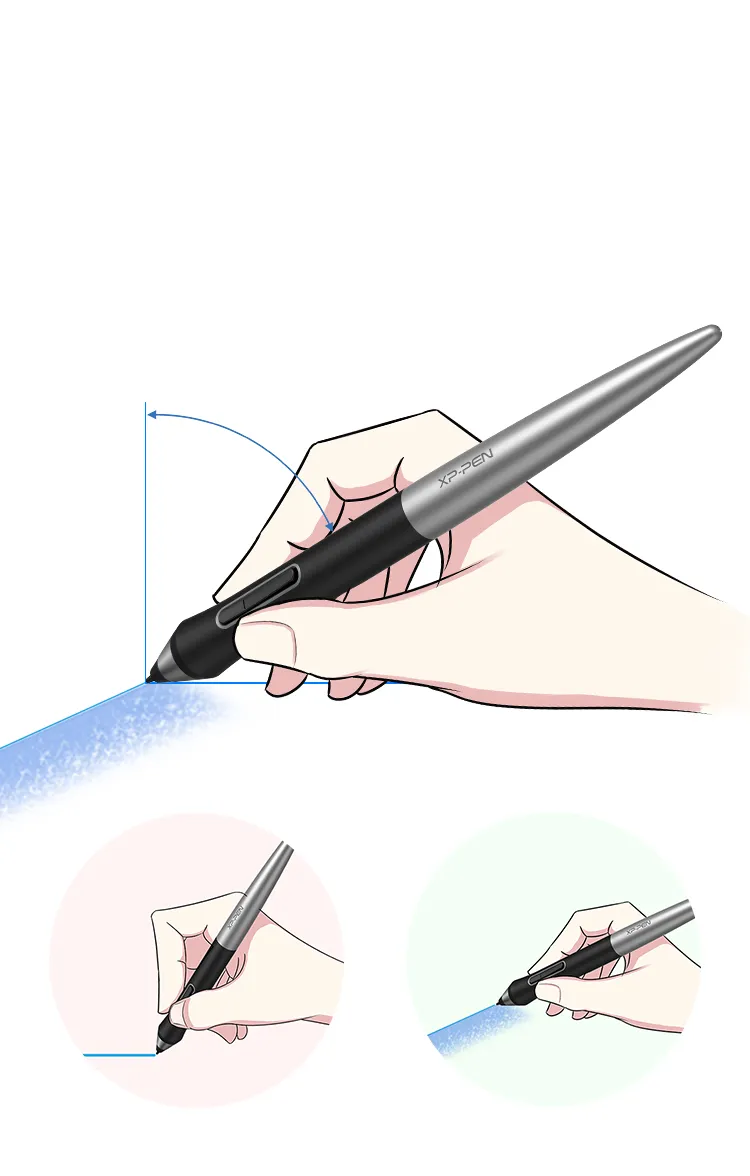
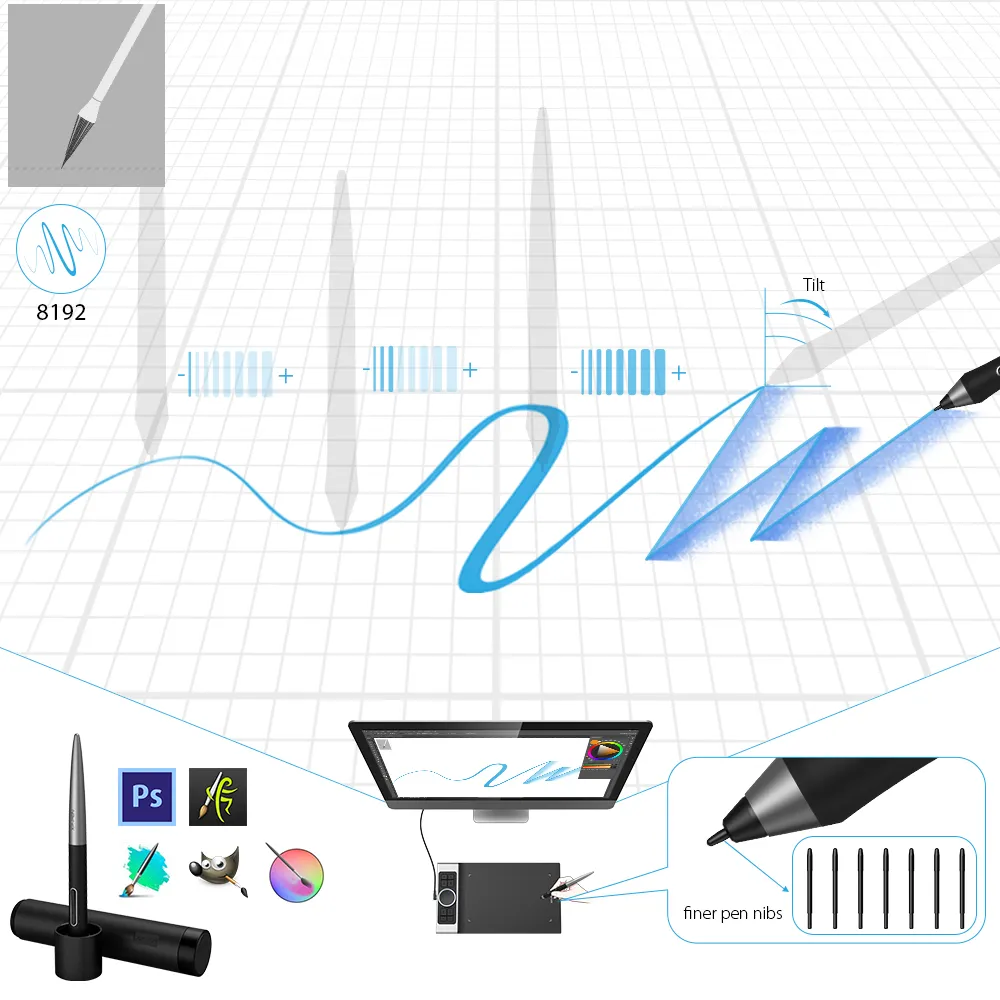
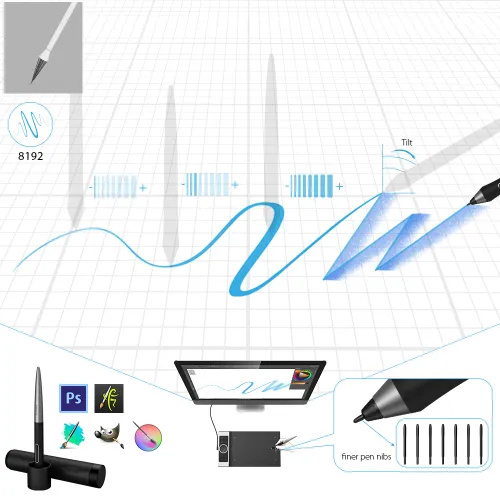
The XP-Pen Deco Pro supports up to 60 degrees of tilt function, quickly and easily responding to the way your hand moves, now you don't need to adjust the brush direction in the software again and again, simply tilt to add shading to your creation. And enjoy smoother and more natural transitions between lines and strokes.

Tilt:60°

Virtually No Lag

Sensitively Tilt for Shading

XP-Pen Deco Pro computer drawing tablet With up to 8,192 levels of pressure sensitivity

Level up the way you create.

With up to 8,192 levels of pressure sensitivity, the Deco Pro provides you precise control and accuracy. Create fine lines in an incredibly natural and fluid experience, all with our new battery-free stylus.

8192 Level
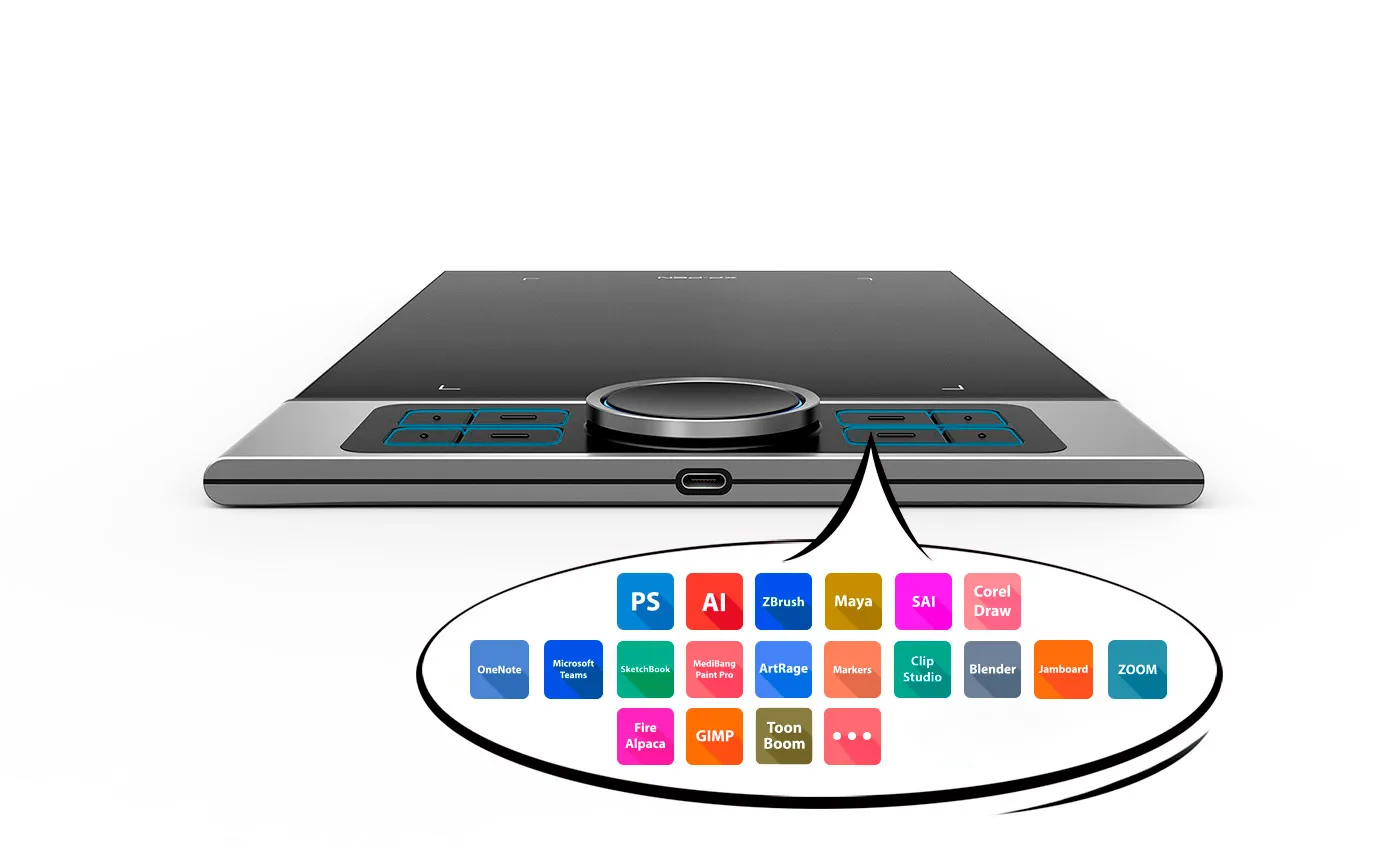
XP-Pen Deco Pro graphic tablet includes  8 fully customizable buttons

Greater accessibility.

The Deco Pro features 8 responsive shortcut keys and two dial wheels that can be programmed to many different software programs, giving you instant access to specific functions for the task at hand to expand your creative output.

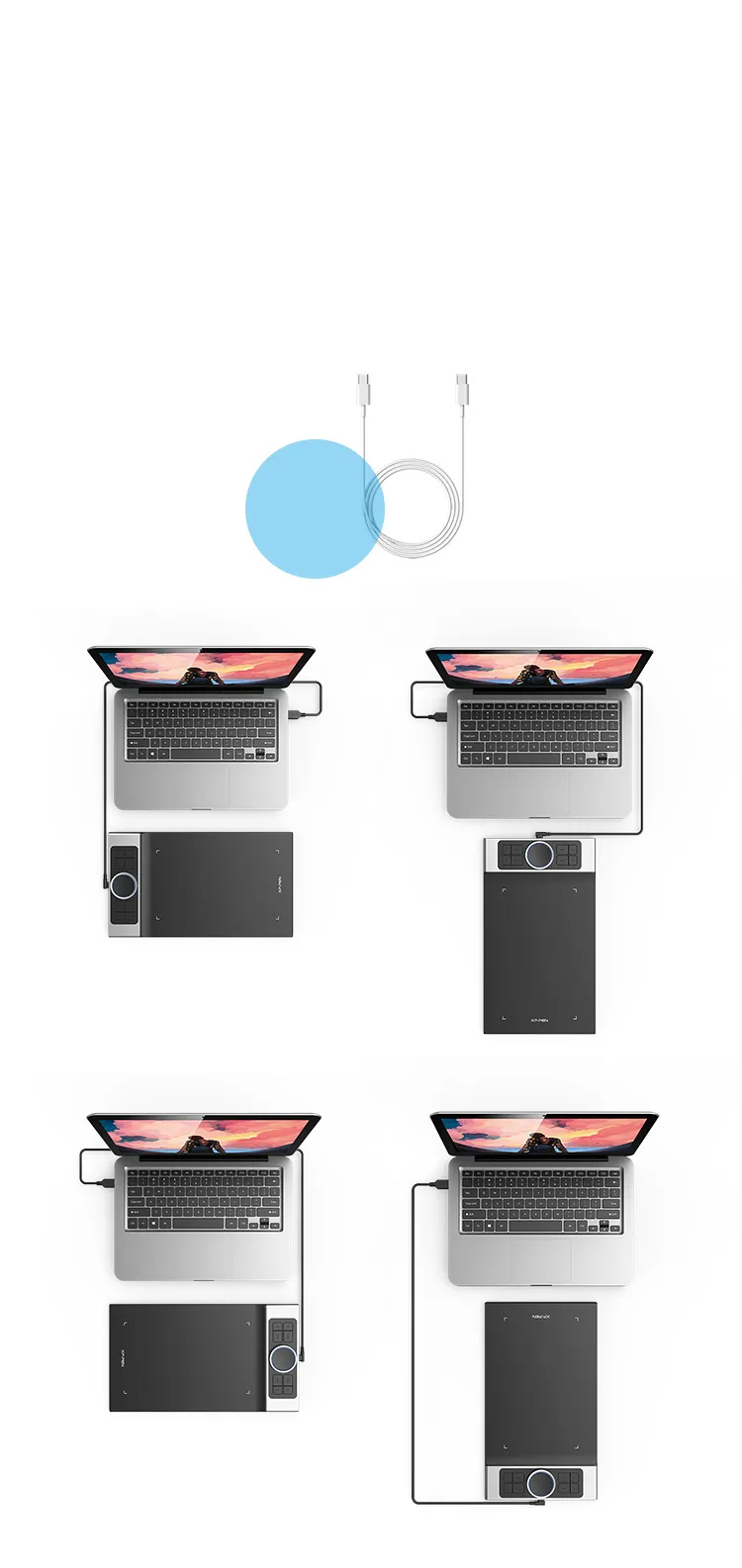
XP-Pen Deco Pro artists drawing tablet equipped with a USB-C port

You care, we care.

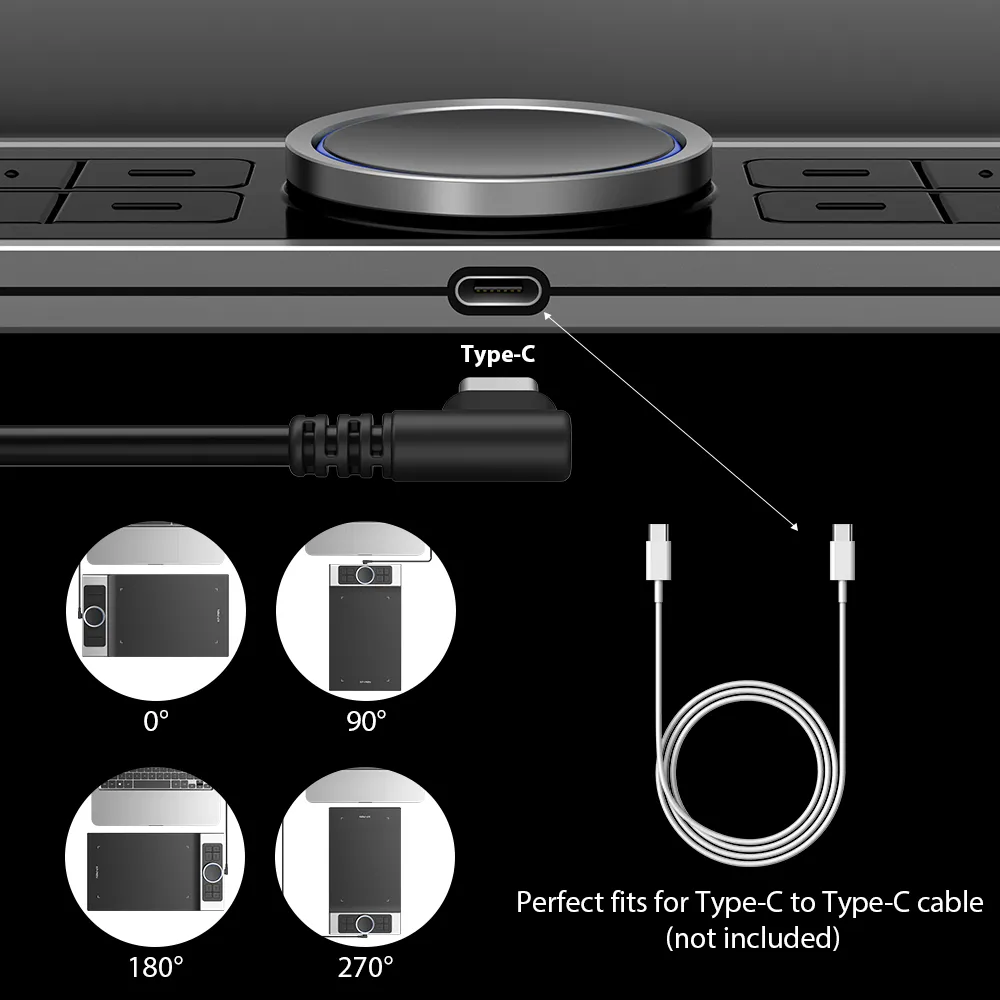
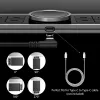
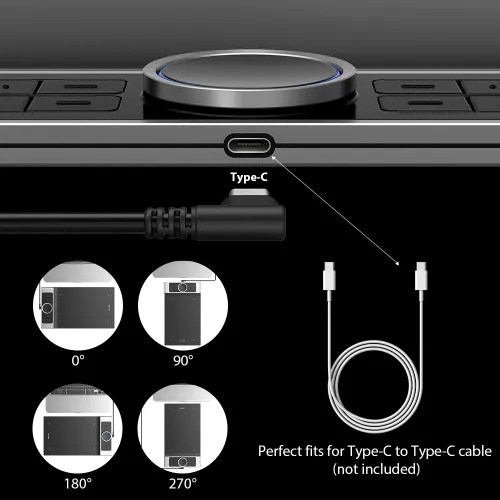
The Deco Pro is the first drawing tablet that comes equipped with a USB-C port. Now you can directly connect your iMac/Mac Book Pro and other Windows computers that support USB-C input to the Deco Pro without using a USB-C to USB adapter. Its interface is symmetrical, making it equally comfortable for right- and left-handed users. You can also rotate the Deco Pro to 0 degree, 90 degree, 180 degree and 270 degree depending on your different creative requirements.

0 Degree

90 Degree

180 Degree

270 Degree

Perfect fits
for USB-C to USB-C cable

Newly designed PA1 battery-free stylus

Newly designed battery-free stylus.

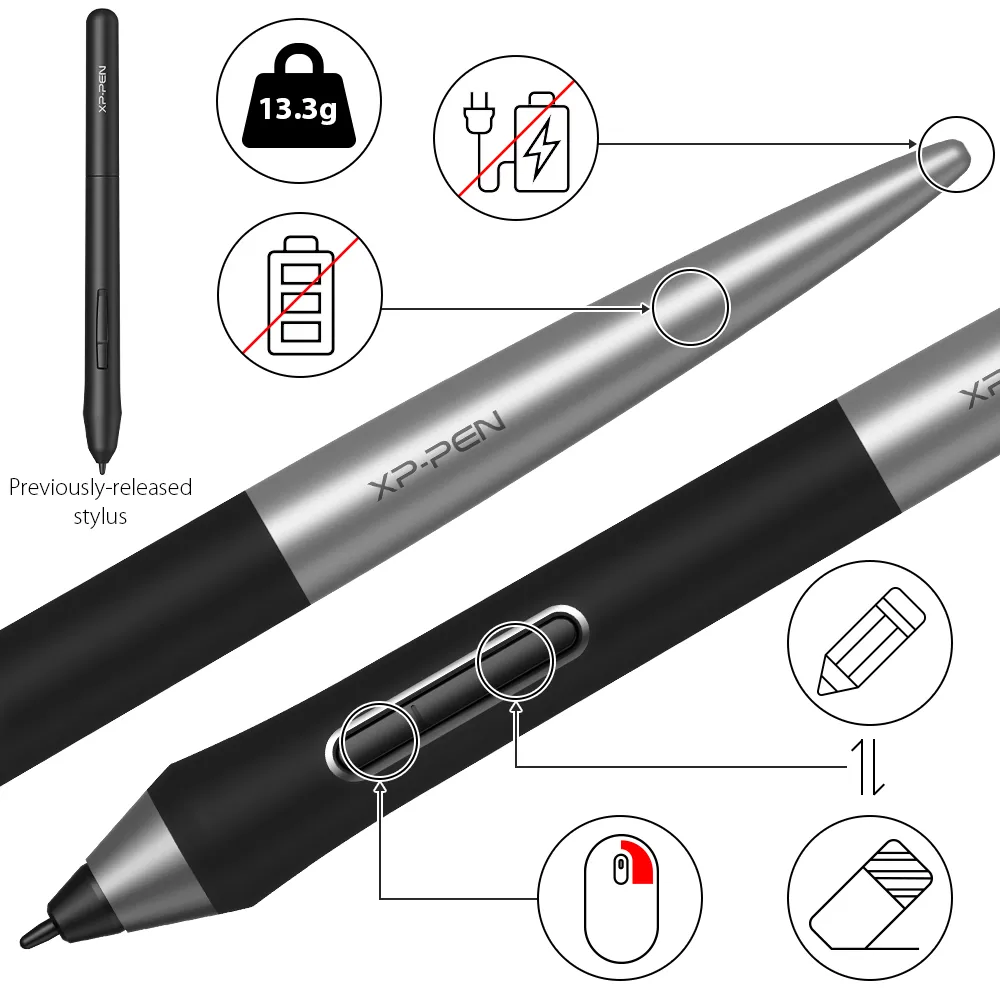
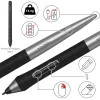
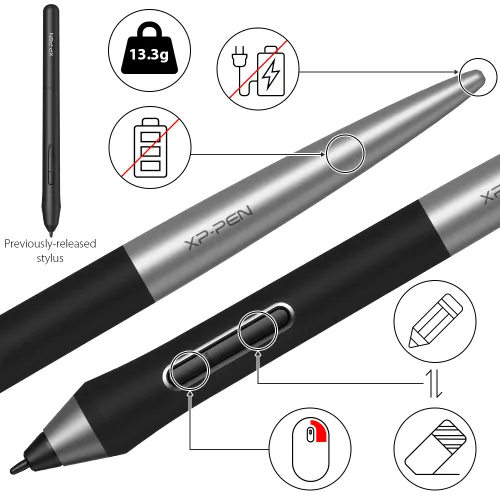
The new PA1 stylus is battery-free, weighs only 13.3g, and features a nice black and silver design with a sleek pointed end. There are no batteries or clumsy cords for charging and the one-click toggle allows you to switch between pen and eraser modes instantly, creating a more efficient and less frustrating work flow.

No battery

No need charging

Non-slip rubber design

One-click toggle

Right click
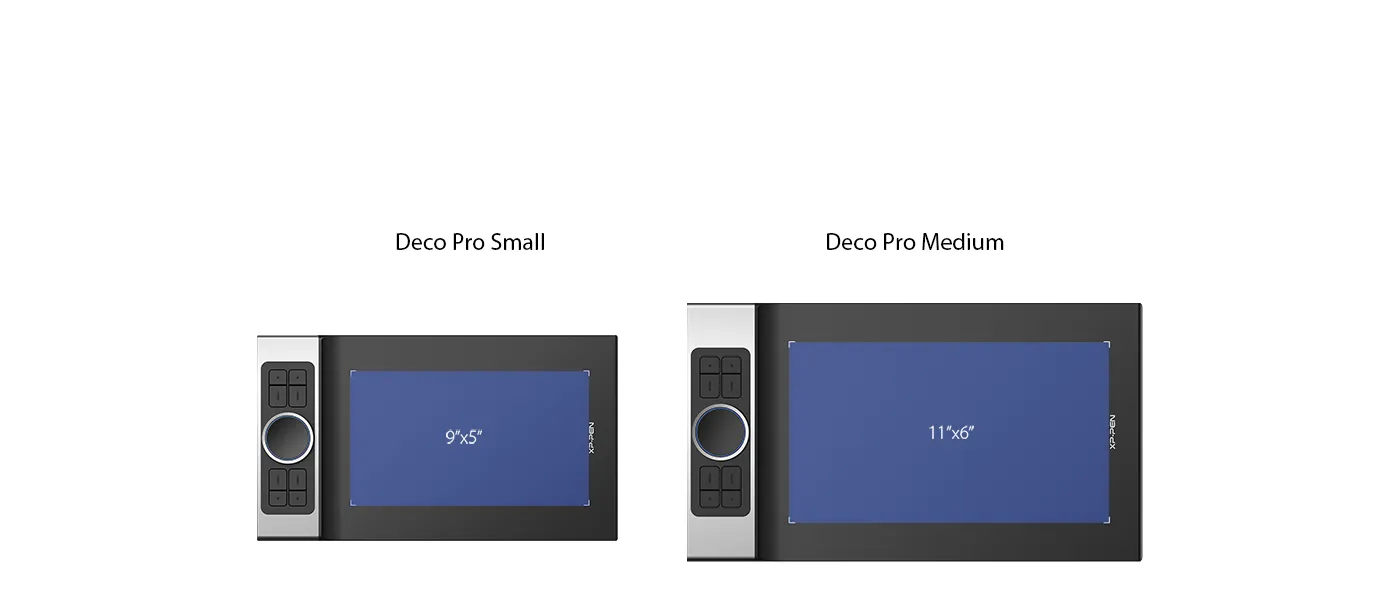
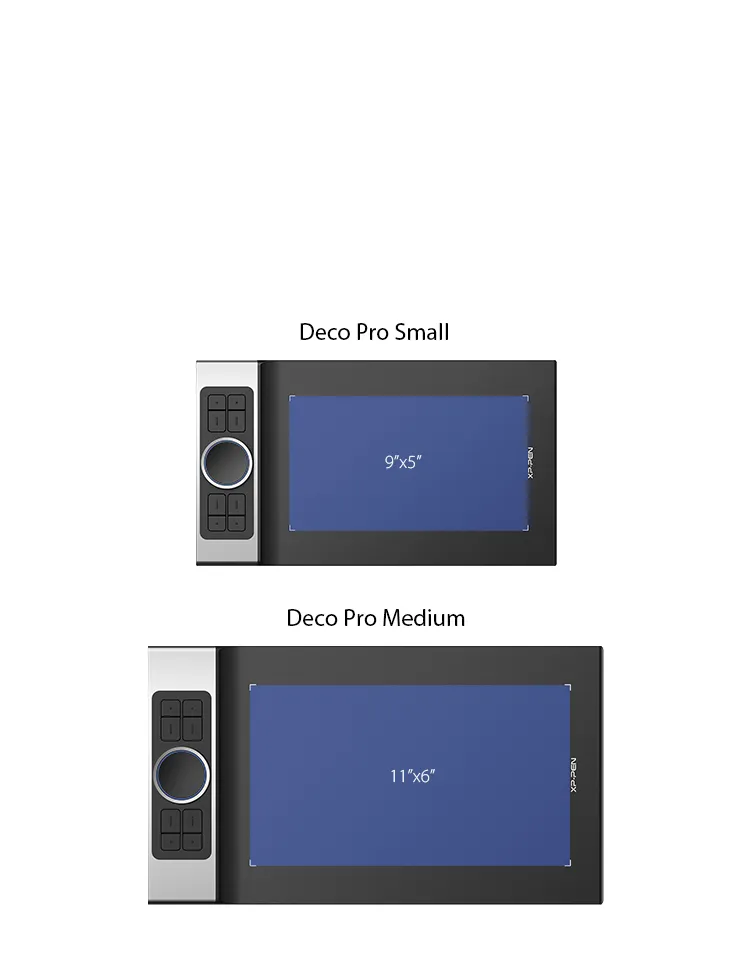
XP-Pen Deco Pro Series features a 9x5 inches and 11 x 6 inches working area

Your tablet, your choice.

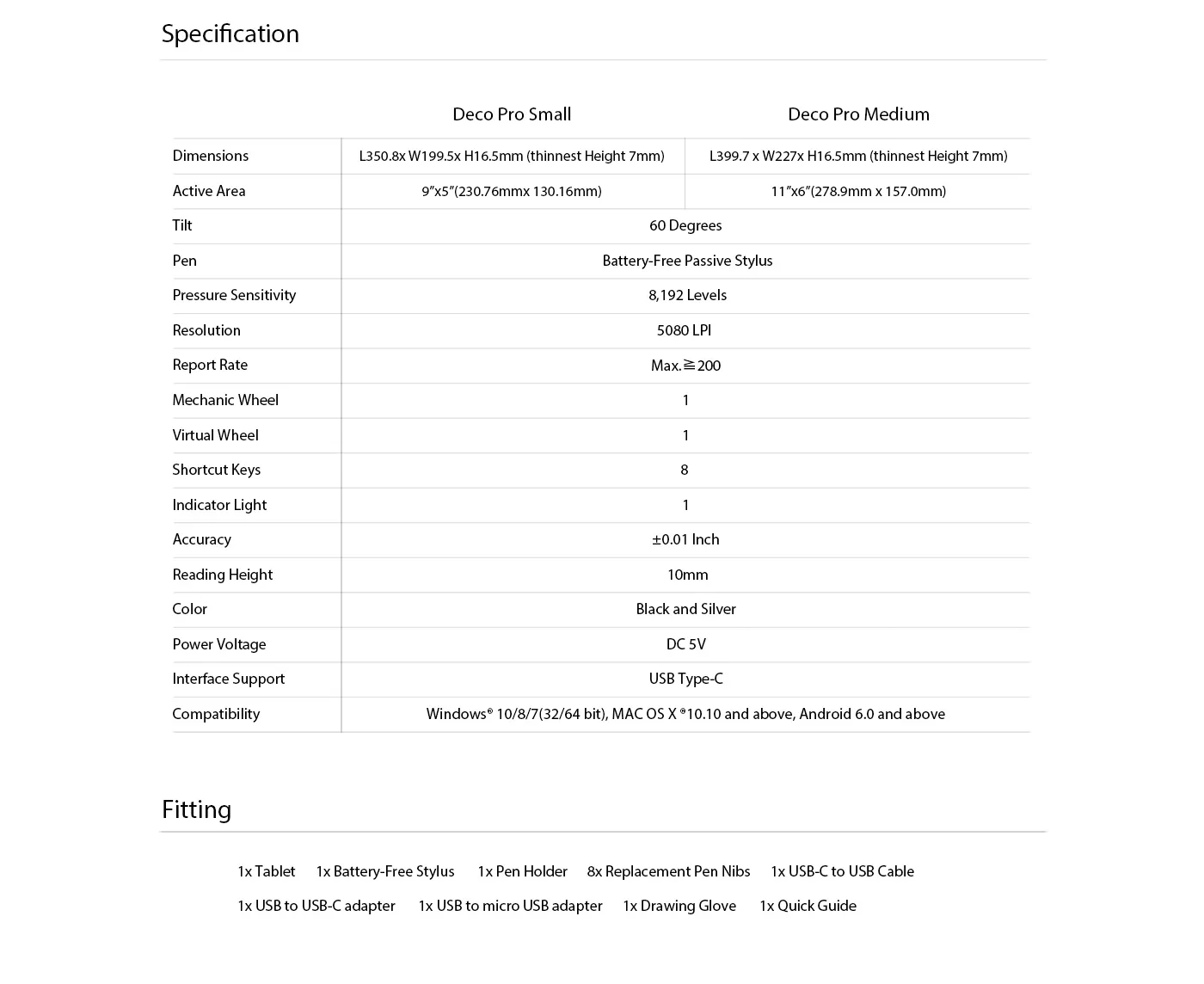
The XP-Pen Deco Pro Series comes in two sizes for your option. The Deco Pro Small features a 9x5 inch working area, offering a compact and portable option while the Deco Pro Medium features an 11 x 6 inch working area, giving you a bigger canvas for your creations.
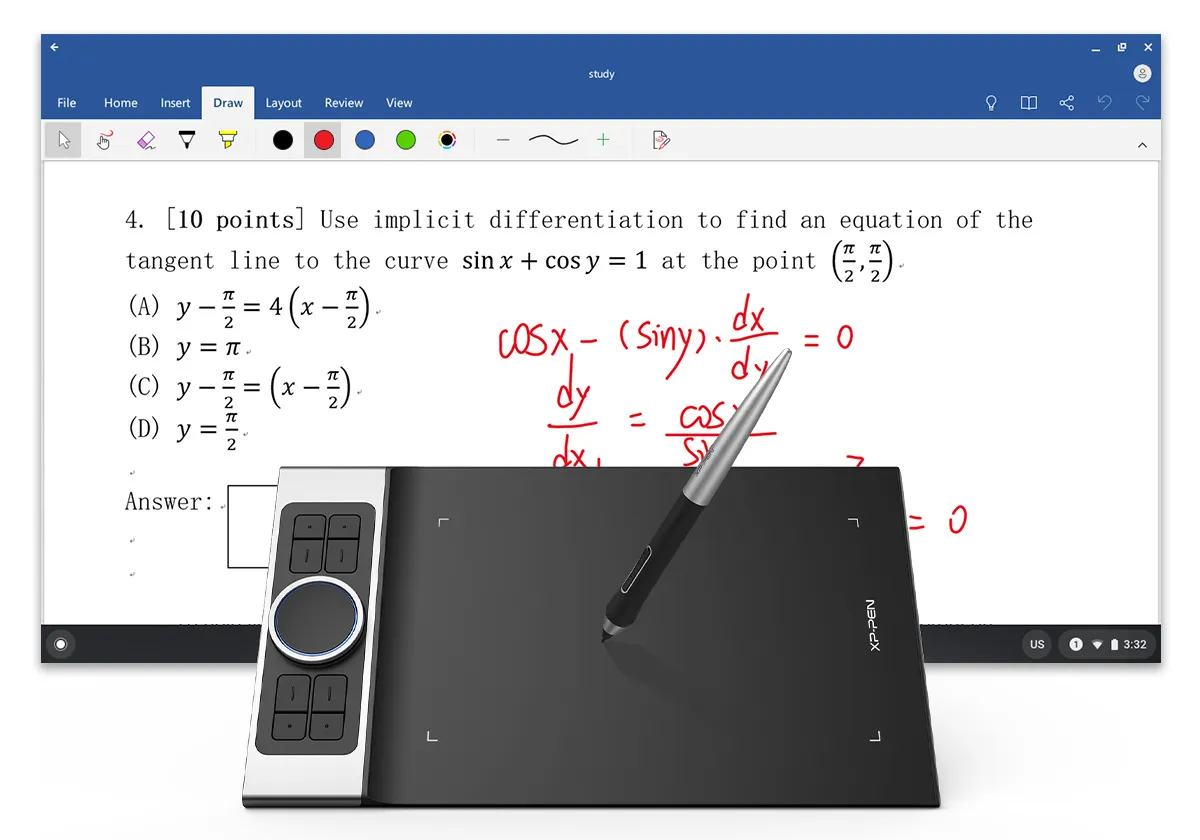
XP-Pen Deco Pro professional drawing tablet Compatible with popular digital art software , Windows and Mac OS

Universality and compatibility.

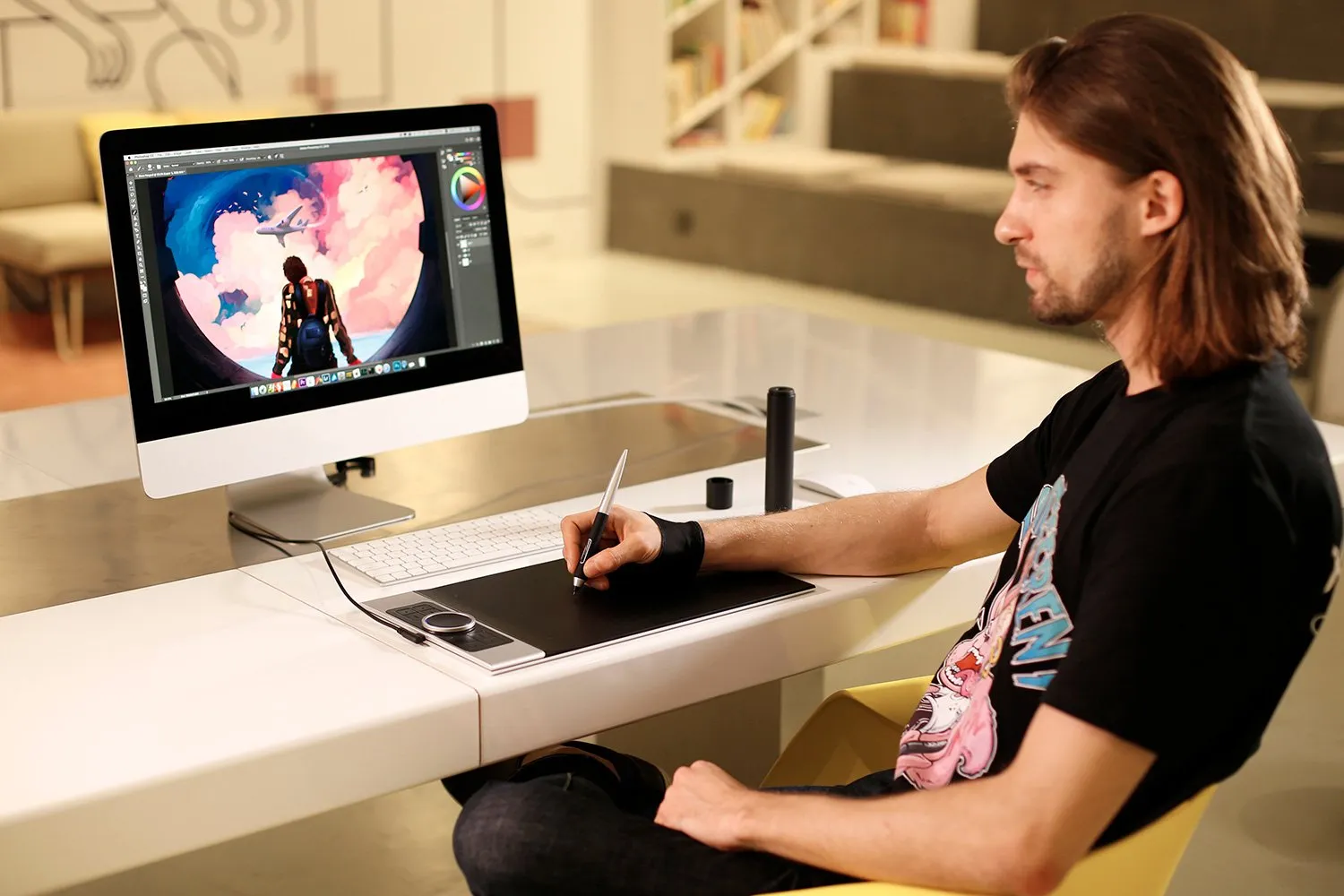
The XP-Pen Deco Pro Series is compatible with Windows 7/8/10, Mac OS X 10.10 and above, Android 6.0 and above. Works with most major creative software including Photoshop®, SAI®, Painter®, Illustrator®, Clip Studio®, GIMP®, Medibang®, Krita®, Fire Alpaca®, Blender® 3D and more.
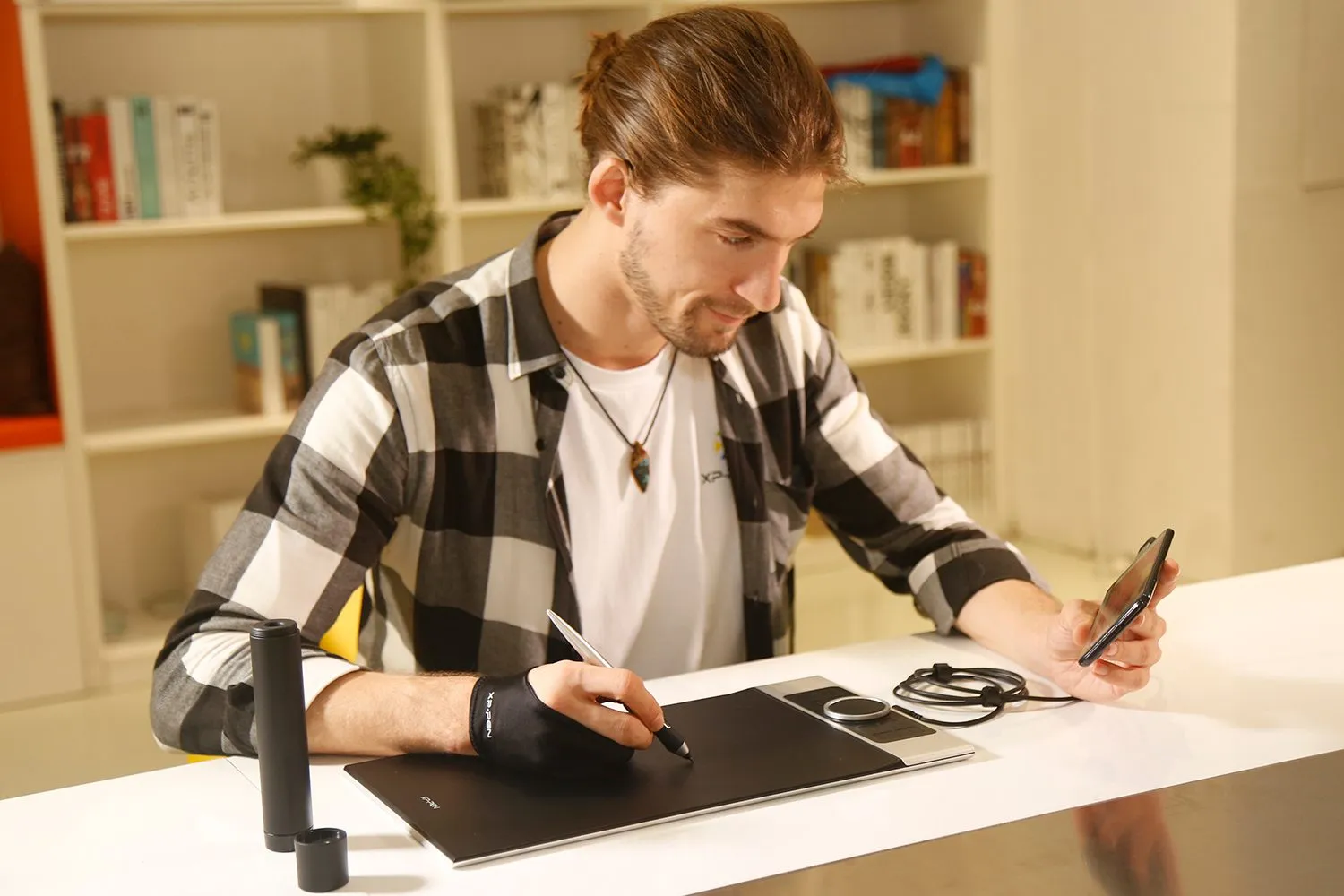
digital sketching,drawing ,animation ,painting and editing photos with XP-Pen Deco Pro Art graphics Tablet
image
image
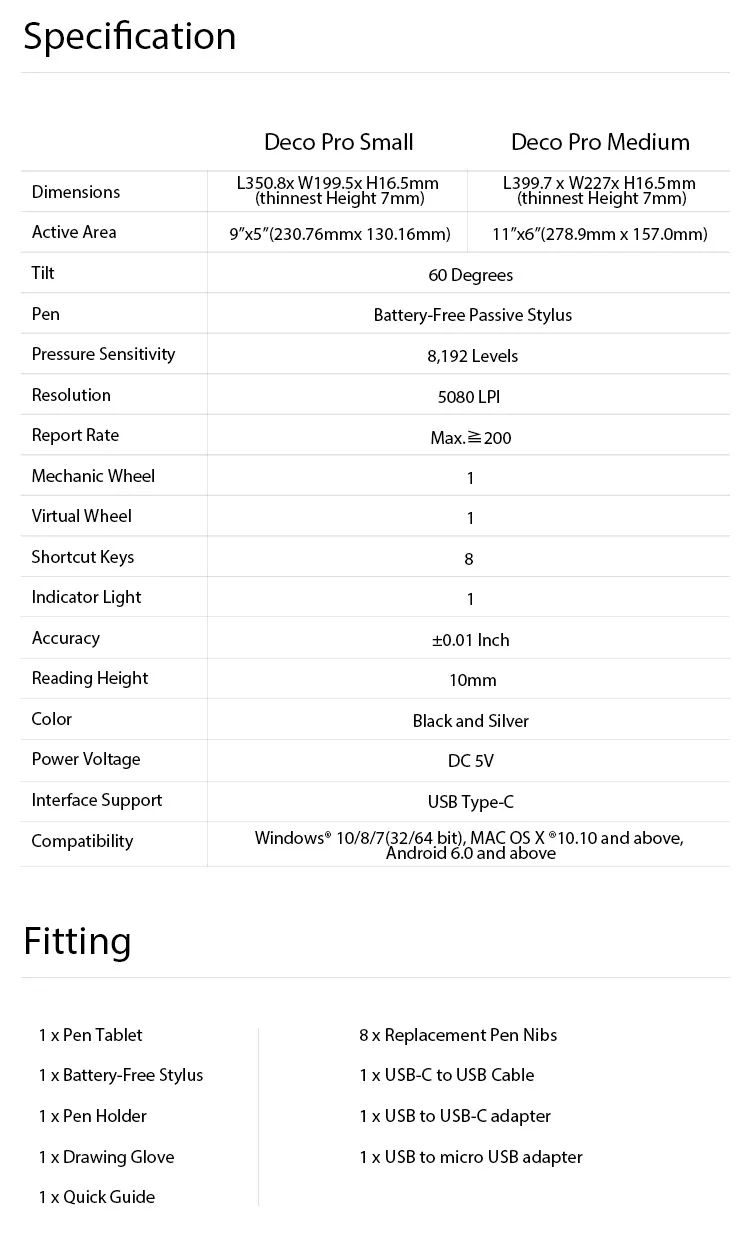
Specifications and Package include of XP-Pen Deco Pro Pen Tablet
REVIEWS
5.0
starstarstarstarstar
BASE_ON_REVIEWS
starstarstarstarstar
100%(6)
starstarstarstarstar
0(0)
starstarstarstarstar
0(0)
starstarstarstarstar
0(0)
starstarstarstarstar
0(0)
Derek Valencia
starstarstarstarstar
Apr 14 ,2020 AM 10:49 Deco Pro S/M Drawing Tablet
Impressive
I’ve owned several tablets, and this is certainly one of the best. The build quality is good. The keys and wheels are useful, and the whole thing looks and feels like a premium product.The surface has just enough grip to allow you to control the stylus. The pen is smooth and responsive. Pressure and tilt work fine. I bought the smaller version because the “medium” size was just too large. The small version is just about right for me
Official mall
Apr 14 ,2020 PM 18:26
Thank you for your recognition of our XP-PEN products. We will continue to improve and provide the best quality products and services to our consumers.
USEFUL(2)+1
XFANS3iyvb0wm
starstarstarstarstar
Dec 26 ,2023 AM 00:38 Deco Pro S/M Drawing Tablet
It\'s still a charm after years of use.
After almost a year of use, this tablet is the perfect pick for starting artists alike. The buttons are easily customizable and are fit for any program.
USEFUL(0)+1
Lovely Alfaro
starstarstarstarstar
Sep 24 ,2020 PM 16:06 Deco Pro S/M Drawing Tablet
Very nice and comfy!!!!
The product was shipped out immediately the day I placed my order :) I received my order around two weeks time, and I'm very thankful for their very responsive customer service. This is my very first graphic tablet and I really love it!! The Deco Pro Small is very nice and comfortable - not too big and not too small :) I highly recommend!!!
Official mall
Sep 30 ,2020 AM 11:40
Dear customer, Great thanks for your good feedback. Your satisfication is our driving force. thanks. :)
USEFUL(1)+1
LEARN_MORE
Q_A
XFANS4739lycz
Jan 22 ,2022 PM 13:28 Deco Pro S/M Drawing Tablet
Hello, just wanna check for the update. Do you ship to the Philippines now?
REPLY1
Official mall
Jan 22 ,2022 PM 14:19
Yes, we have stock at manila, we can ship it from manila all the time during Chinese New Year holiday. (except Sunday)
REPLY_THIS_EVALUATION
XFANS4739lycz
Jan 22 ,2022 PM 13:24 Deco Pro S/M Drawing Tablet
Hi, does this Deco pro /s compatible to Xiaomi RedMi 9+ models (Android) ?
REPLY1
Official mall
Jan 22 ,2022 PM 14:15
Hello, Deco pro S/M compatible to Xiaomi for android 6.0 above system, thanks.
REPLY_THIS_EVALUATION
XFANSlpr81ot8
Jan 04 ,2022 PM 15:29 Deco Pro S/M Drawing Tablet
Good Day, does this work on laptops/desktops? Please reply asap. Thank you.
REPLY1
Official mall
Jan 04 ,2022 PM 17:41
Hello, it work with Laptop and desktop, thanks.
REPLY_THIS_EVALUATION
Kezt
Dec 30 ,2021 PM 13:22 Deco Pro S/M Drawing Tablet
What will happen if there's no OTG in the settings will it not work? And how many days will it take to deliver The Deco Pro S/W Tablet to Digos City?
REPLY1
Official mall
Dec 30 ,2021 PM 14:47
Hello Customer, Normally for android 6.0 above phone, it has OTG function. most phone is open OTG no need to setting. only few case need to set it by manual. And Minandao, it may takes 10-15days delivery as the typhoon affect many places to deliver. we are not sure if it can arrive timely.
REPLY_THIS_EVALUATION
Marissa Mychee Hayawan
Feb 03 ,2021 PM 14:21 Deco Pro S/M Drawing Tablet
Good day. Do you have an official flagship store in Shopee?
REPLY1
Official mall
Feb 17 ,2021 AM 10:53
Yes, we have official Flagship store in Shopee, you may come to us to check the store link, thanks.
REPLY_THIS_EVALUATION
Elisha VIllanueva
Jul 08 ,2020 PM 20:30 Deco Pro S/M Drawing Tablet
Does the package comes with a protective film like Deco 01V2? I hope so.
REPLY1
Official mall
Jul 09 ,2020 AM 09:38
Dear customer, deco pro didnot come with protective film. you may order the film with Deco Pro together, thanks
REPLY_THIS_EVALUATION
Miguel Dairo
Jun 12 ,2020 AM 06:12 Deco Pro S/M Drawing Tablet
Can you buy it with cash or you really need to use PayPal VISA and MasterCard??
REPLY1
Official mall
Jun 12 ,2020 AM 11:49
Dear customers, We only provide Paypal, Visa and mastercard to pay on the store. If you perfer Cash on delivery, you may order from our official Lazada, the platform provide that service for us, thanks.
REPLY_THIS_EVALUATION
Maurizio Agnino
May 16 ,2020 PM 17:54 Deco Pro S/M Drawing Tablet
Hello, I would like to purchase this tablet for my niece in France but I don't seem to be able to get a quote nor to pick France as shipping address : could you please give me a quotation for shipping and tell me how to proceed ? Thanks in advance !
REPLY1
Official mall
May 18 ,2020 PM 14:04
Dear Customer, You may go to our France store to place the order, https://www.storexppen.fr/?channel=website This is Southeast store, thanks.
REPLY_THIS_EVALUATION
Gene Josue
May 09 ,2020 PM 13:22 Deco Pro S/M Drawing Tablet
Delivery And Goods Hi I would like to ask can this Tablet work on an application like Google SketchUp, Revit, Lumion, and Autocad? Currently using those softwares and badly needed a graphic tablet for the meantime. And How long Can you deliver it here in the Philippines especially we are in quarantine. I do not trust Lazada and shoppee at the moment. Thank you and Please Advice..
REPLY1
Official mall
May 09 ,2020 PM 16:13
Dear Customer, Our tablet can be work on those application you mentioned. Currently we ship order out by DHL, it takes 1-2 weeks delivery to Philippines, but it may need your assitance for customs clearance. Thanks.
REPLY_THIS_EVALUATION
Ma Lagman
Apr 16 ,2020 PM 17:07 Deco Pro S/M Drawing Tablet
I would like to order today. Do you ship to the Philippines now even with the ongoing community quarantine?
REPLY1
Official mall
Apr 16 ,2020 PM 17:24
Dear customer, As we know the shipping to Philippines is stopped. Now your government only allow the shipping for daily necessities. When your government open the shipping for all models, we will start the shipping to your country. Thanks.
REPLY_THIS_EVALUATION
LEARN_MORE
Payment icon 0Payment icon 1Payment icon 2Payment icon 3Payment icon 4Payment icon 5Payment icon 6

Copyright© 2025 HANVON UGEE (HK) TECHNOLOGY CO., LIMITED All Rights Reserved.

Payment icon 0Payment icon 1Payment icon 2Payment icon 3Payment icon 4Payment icon 5Payment icon 6